 StageCloud Studio™
StageDeck™: slides under control.
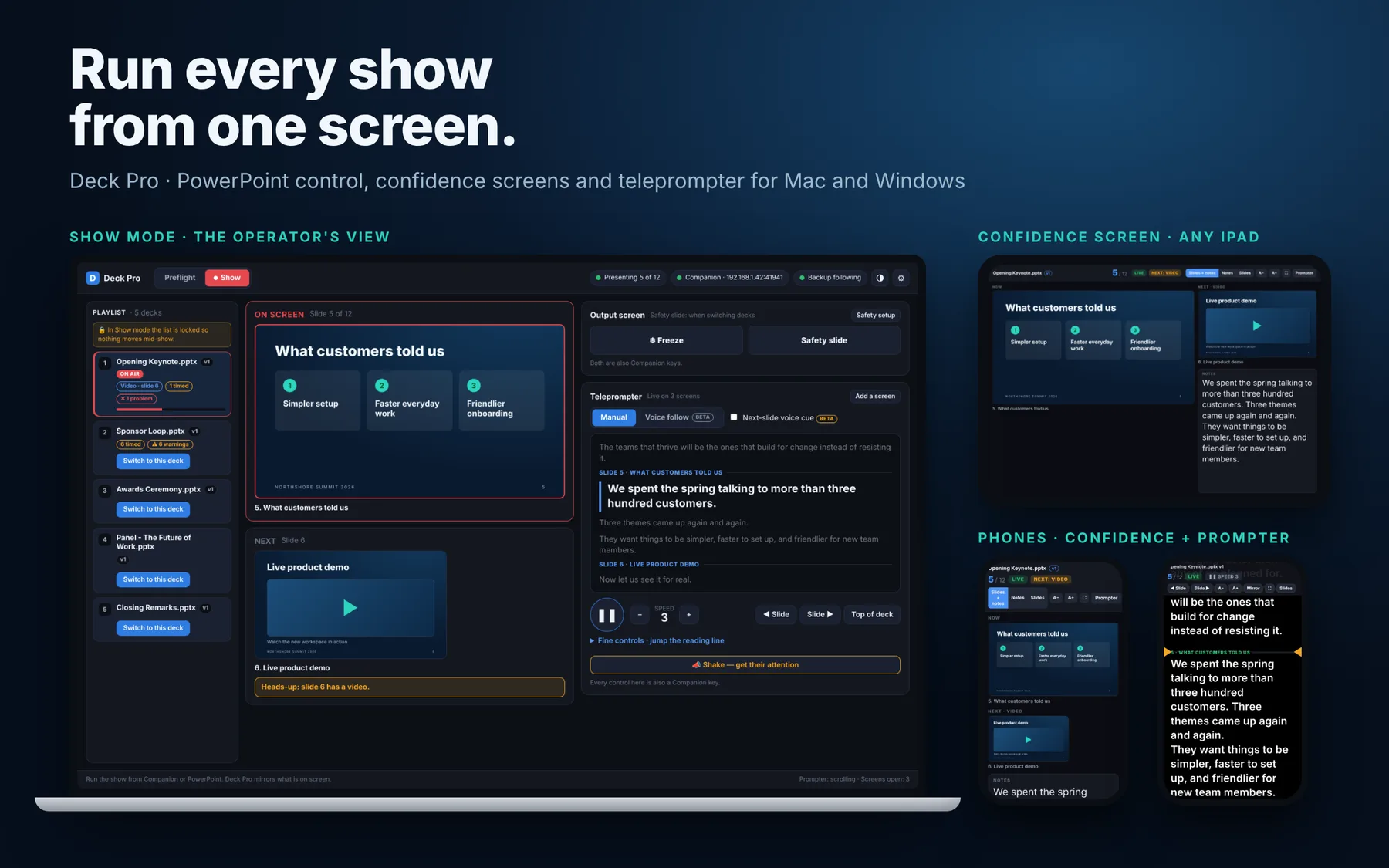
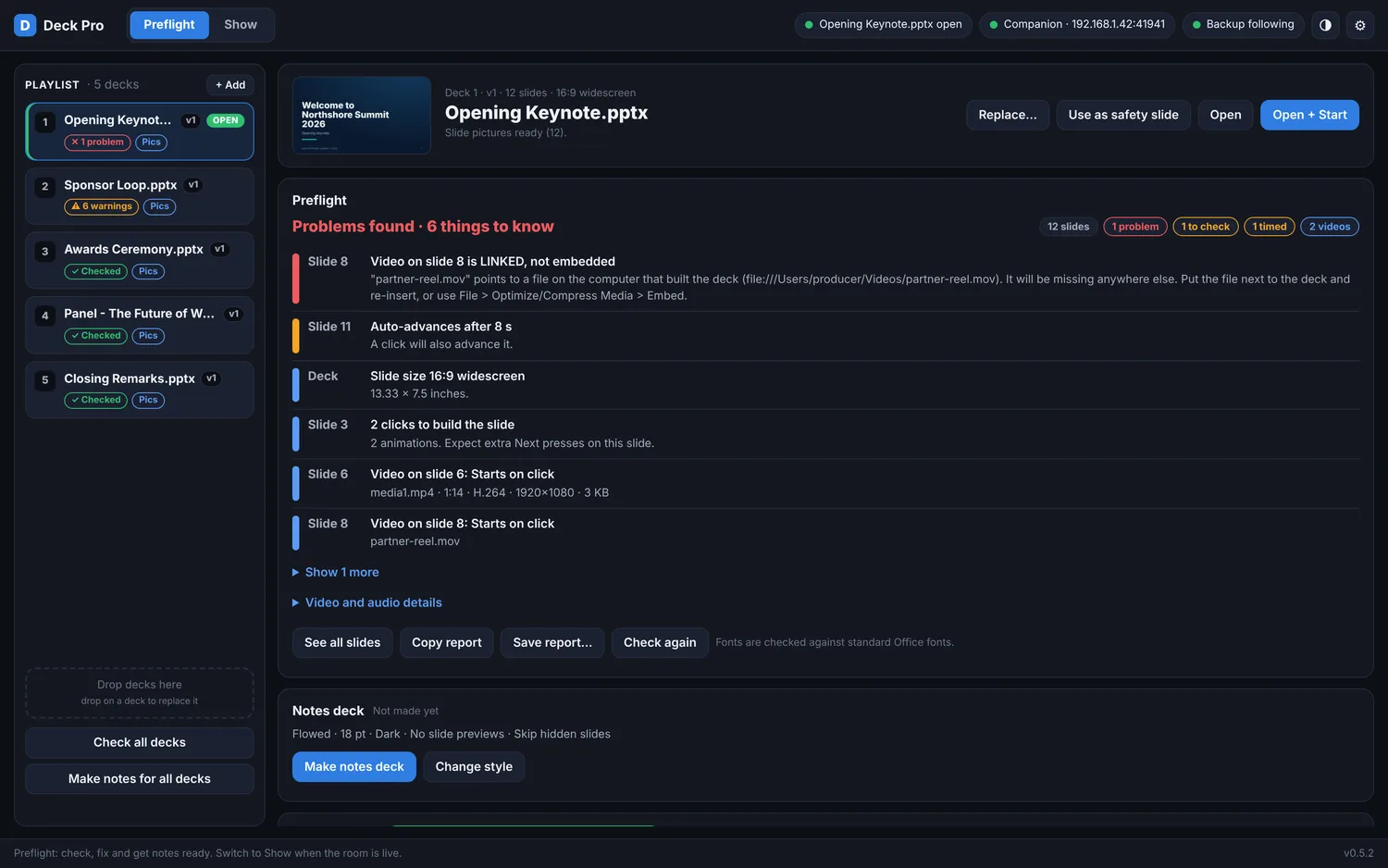
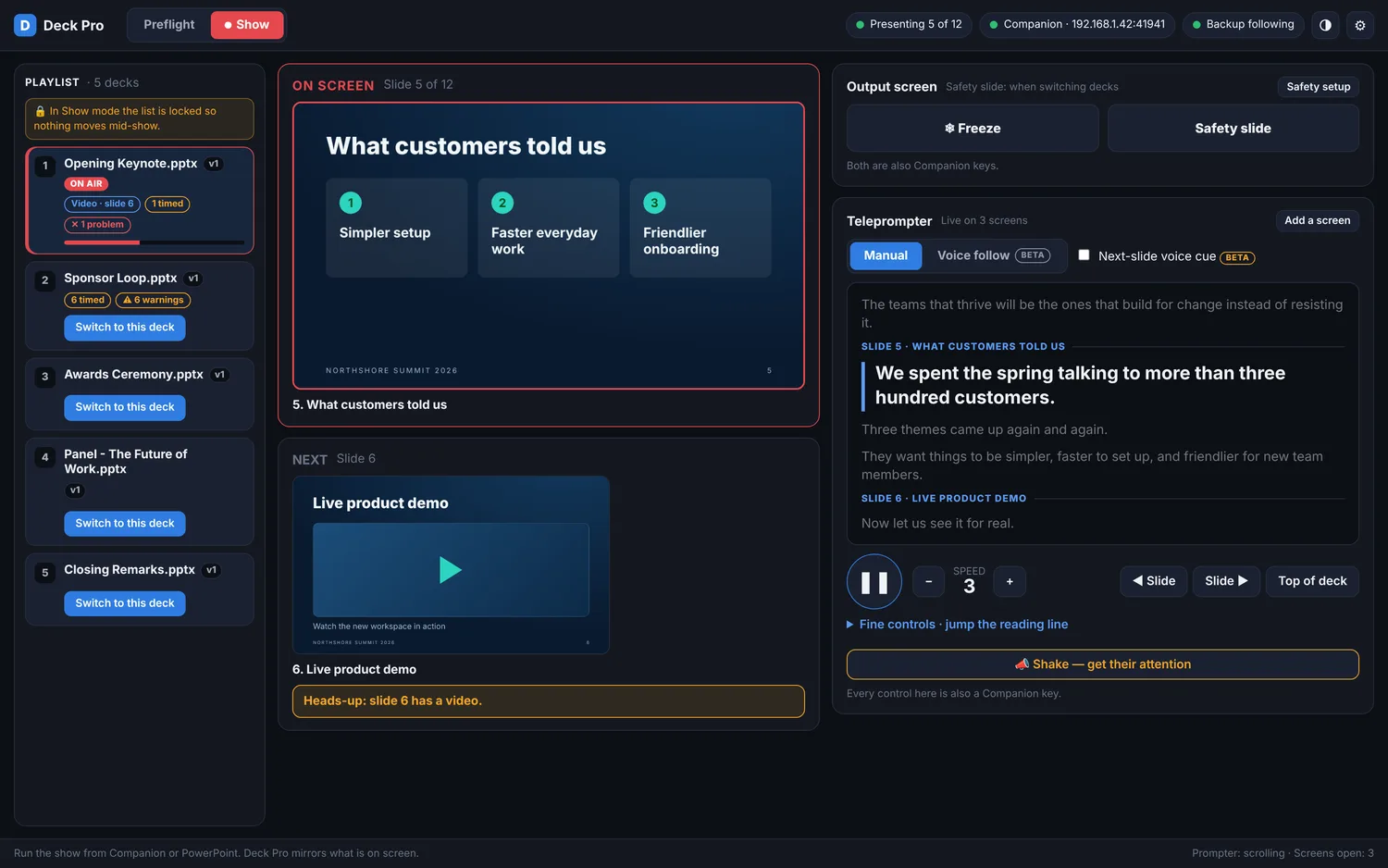
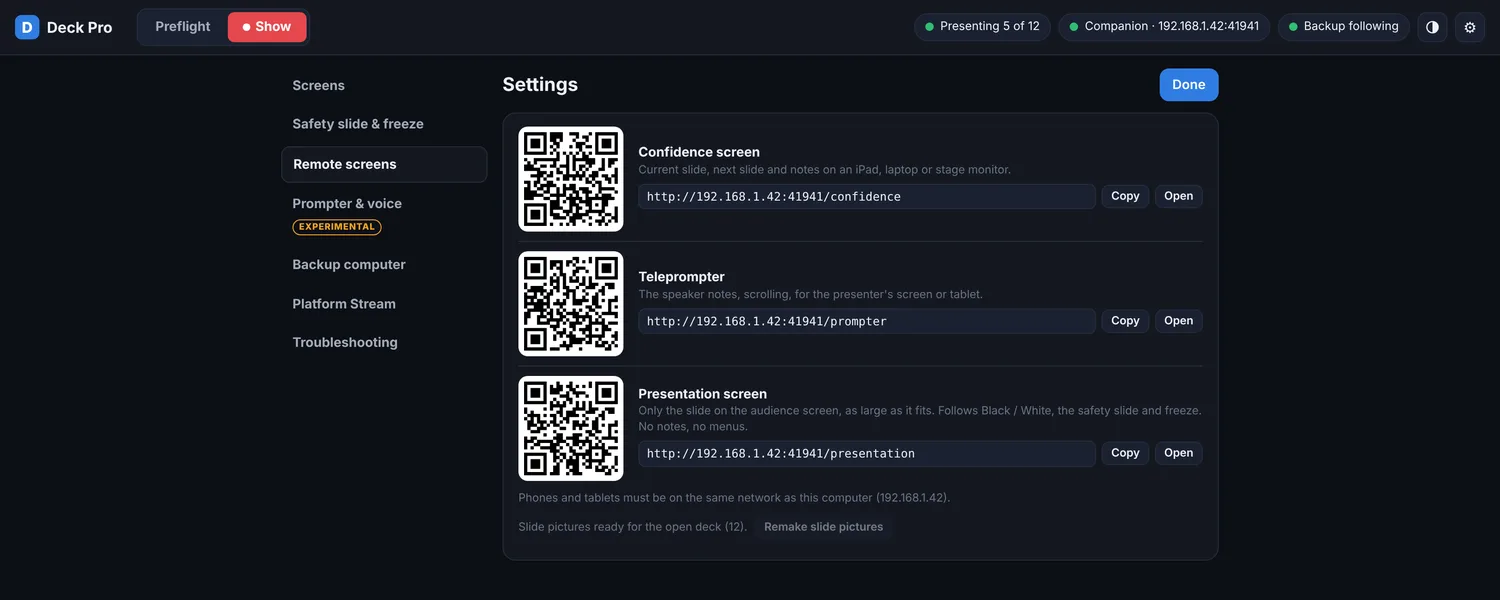
Preflight checks, confidence screens, a teleprompter and remote control for Mac and Windows. Send the current slide straight to your StageCloud Studio stage.
Made for live production
- Safety slide and freeze for clean recovery
- Teleprompter and confidence screens
- Companion control for your show deck
- Sends slides to StageCloud Studio
- Mac and Windows
What you need to run StageDeck
Microsoft PowerPoint
StageDeck controls PowerPoint, it does not include it. PDF decks work without PowerPoint.
Mac and Windows
Mac builds are signed and notarized. Windows builds are currently unsigned, so Windows SmartScreen may warn: choose More info, then Run anyway.
Permissions on Mac
macOS will ask to let StageDeck control PowerPoint, and to use the microphone for voice follow. Speech is recognised on your computer and is not sent to a server.
The control port stays on your local network. Sending slides to StageCloud Studio and show-code sync connect out only when you turn them on. StageDeck does not collect personal data. Built by Scott Duvall, Toronto. Open-source software notices.
See StageDeck with your show
Tell us about your next event and we will show you how it fits.
- ✓Preflight before you go live
- ✓Confidence screens for presenters
- ✓Works with StageCloud Studio