 StageCloud Studio™
Run a broadcast-quality live show from a browser.
Bring in 20 guests online, with room for 5 production operators. Switch scenes with one click, share slides and PowerPoint, record to the cloud and stream out. Built by a working AV producer, for the shows that can’t go wrong.
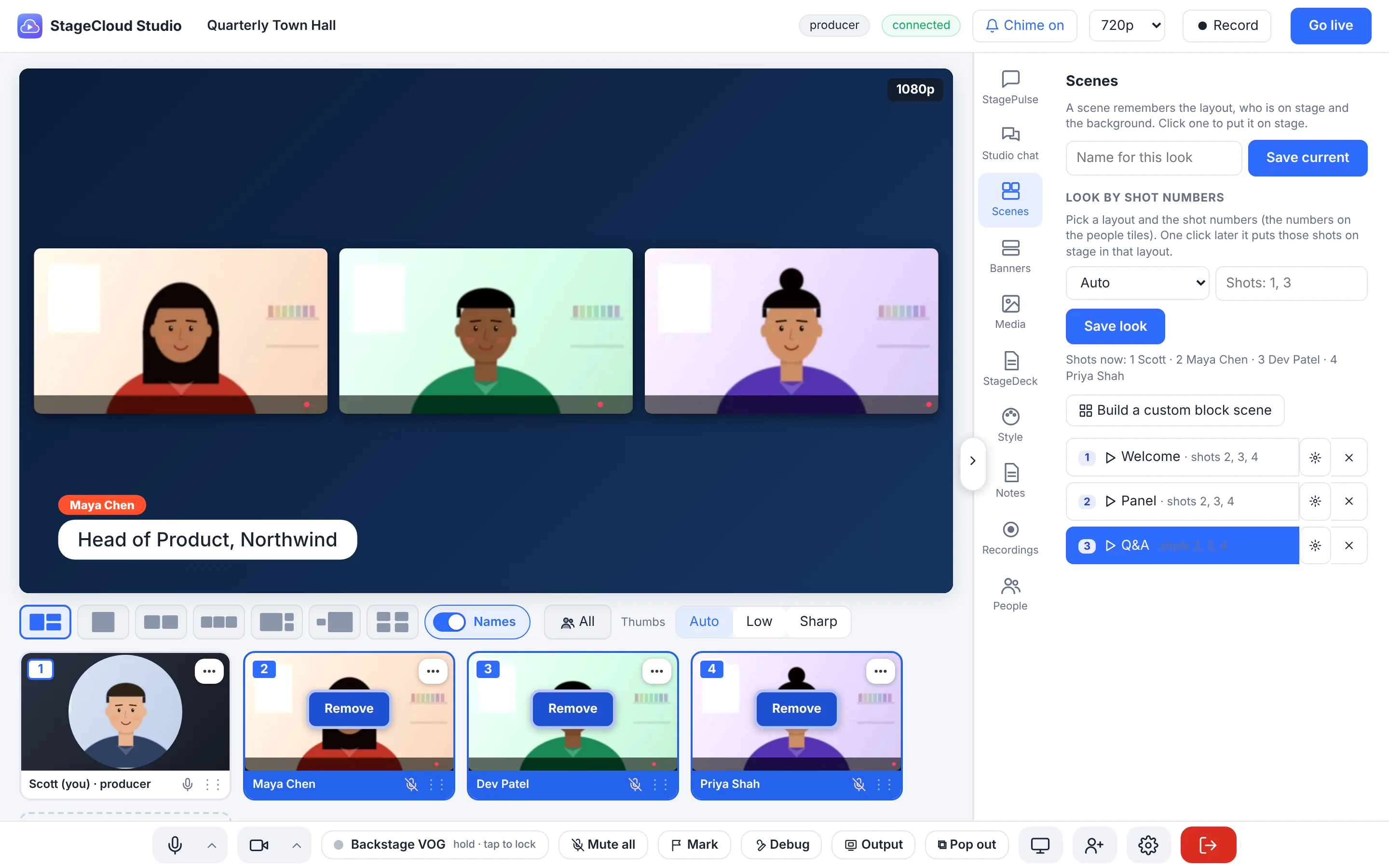
The tools a producer actually reaches for
Not a meeting tool with a stream button. A studio with a backstage, a program output and a producer in control.
Guests join from a link
Each link already knows its role. Guests get a camera, mic, speaker and internet check, then wait backstage until you bring them on.
Scenes with cues
Save looks, then make each one do more when it starts: slate, countdown, music, solo, banner, muting and prompter. Hand off automatically when the timer ends.
Slides and screen share
Upload PDF, PowerPoint or images, or share a window. Presenters can add their own slides while you decide when they go to air.
Record without thinking
The program records to private cloud storage as an MP4, independent of going live. Every guest is also recorded separately as an ISO.
Stream anywhere
Go live to Vimeo or any RTMPS destination at 720p or 1080p, with a clean program output for hardware switchers too.
Audience questions on air
StagePulse brings approved questions and live polls straight into the studio, ready to put on screen as a banner.
Bitfocus Companion
One download gives you a ready-made button page: scenes, record, music, timers, slate and prompter on your Stream Deck.
Teleprompter
A private prompter for presenters, from your script or from StageDeck. Start paused, send it to named people, reset it per scene.
Producer-grade control
Backstage talk, mute any guest, solo a shot, remove someone, upgrade a guest to presenter or moderator, and a debug report if anything misbehaves.
Built around the way a show runs
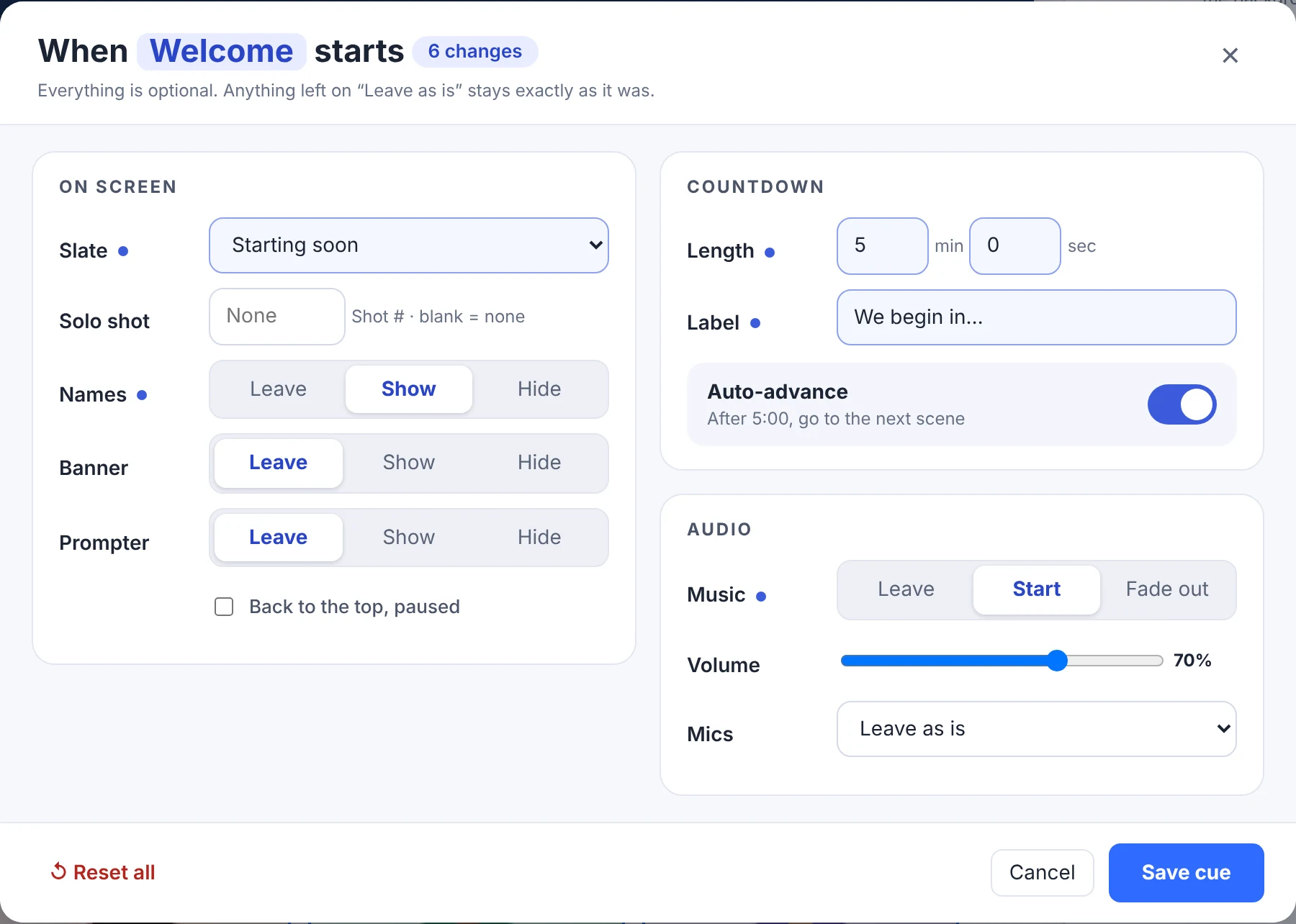
One click, and the whole show changes
A scene remembers the layout and who is on stage. Cues make it do the rest: put up a “starting soon” slate with a five-minute countdown and walk-in music, then roll to the next scene on its own.
- Slate, countdown, music and solo shot
- Banner, names, mute everyone not on stage
- Prompter back to the top, paused
- Companion buttons trigger every cue
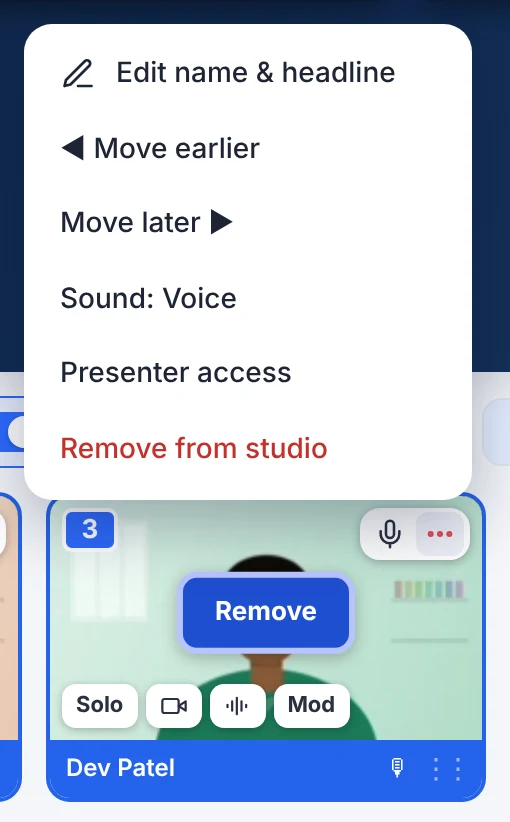
Everything about a guest, right on their tile
Hover to add someone to the stage, and they stay clearly marked while they’re on. Mute, ask for a camera, talk privately, make a moderator, or tuck the rest into a tidy menu.
- Add to stage, Remove and Solo in one place
- Hold-to-talk privately to a single guest
- Voice or Natural sound for music and instruments
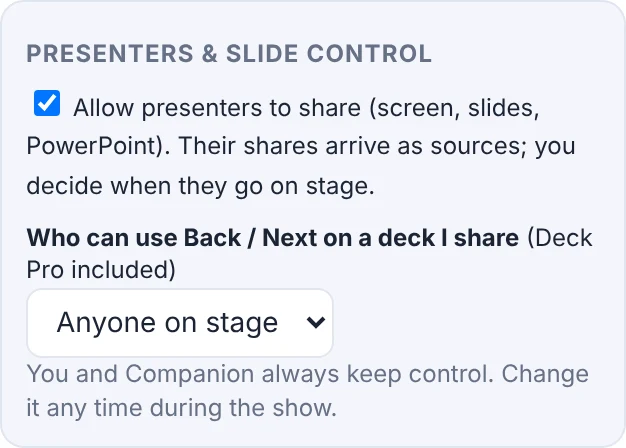
Let presenters share. Keep your hand on the switch.
Presenters can add slides or share a screen, but nothing reaches the program until you put it on stage. Decide who can drive Back and Next: only you, anyone on stage, or named people. Change it mid-show.
- PDF, PowerPoint and images as sources
- Slide control enforced for every deck
- Producer and Companion always keep control
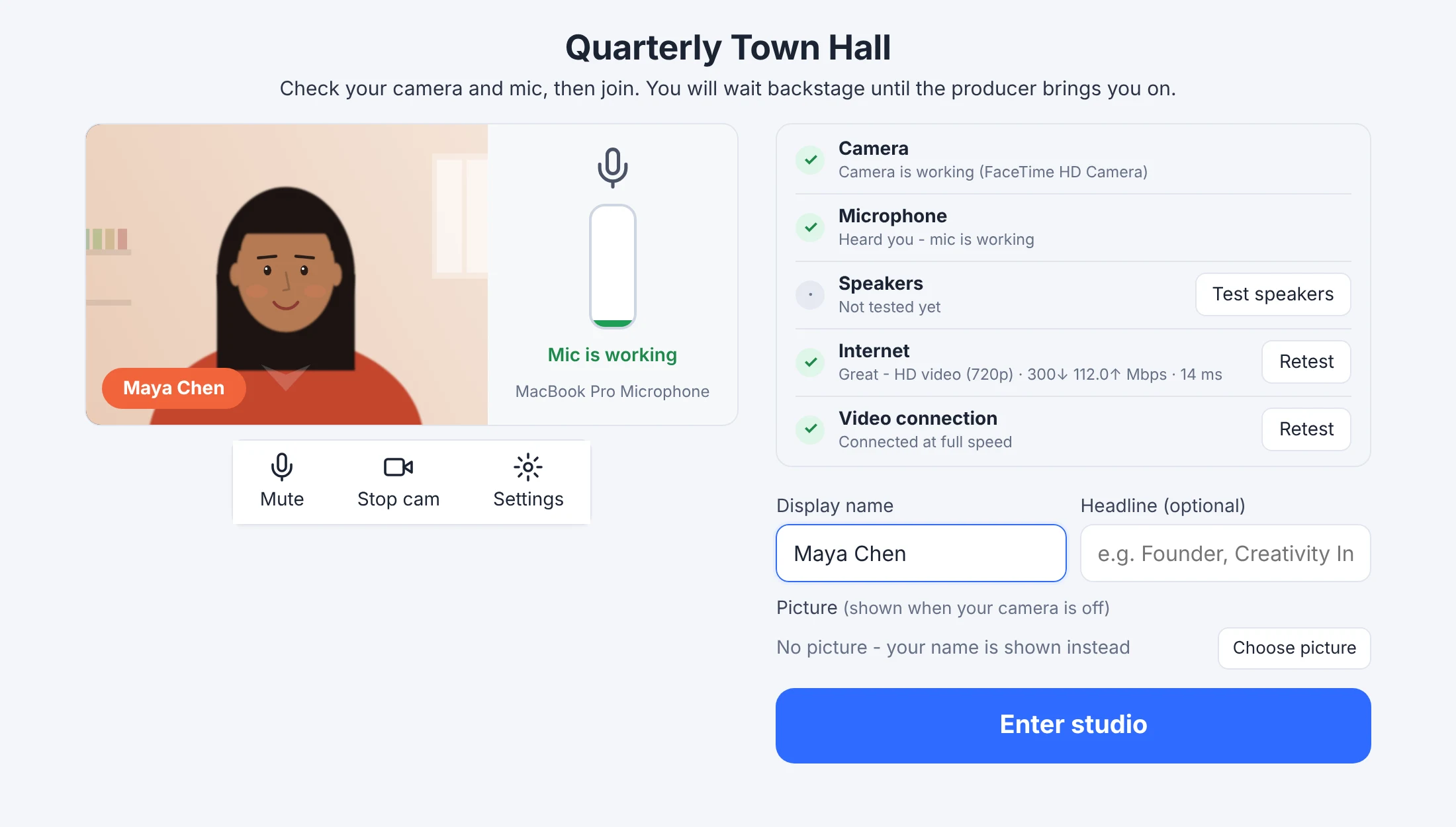
A join screen that prevents the “can you hear me?” minutes
Guests check their own camera, mic, speakers and connection before they ever meet your audience, and the producer can see who passed. Nothing to install.
- Camera, mic, speaker and speed test
- Name, headline and picture for when the camera is off
- Works on a laptop or a phone
StagePulse™ and StageDeck™, built to plug in
Two companion apps from the StageCloud Suite. Use them with StageCloud Studio, or on their own.
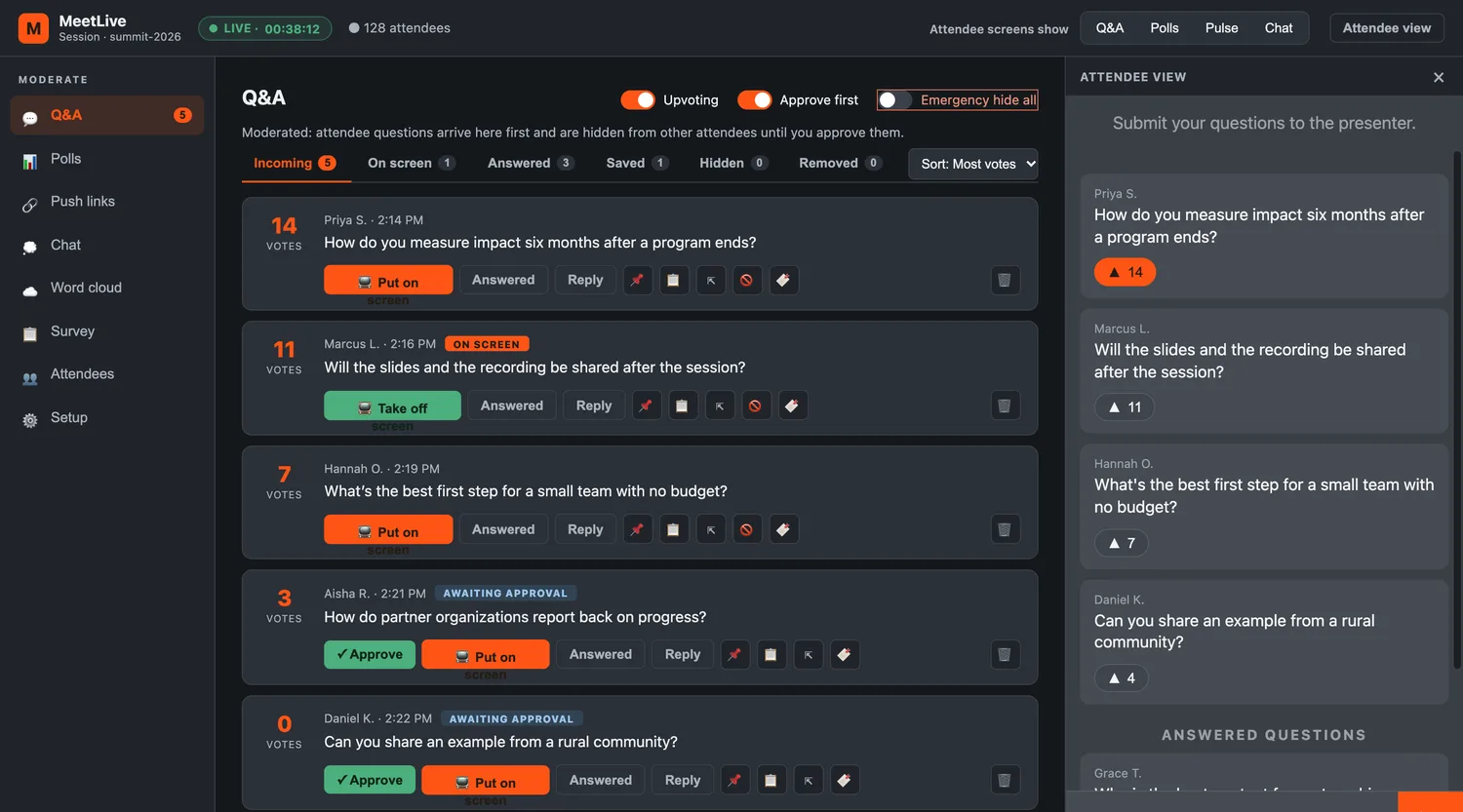
StagePulse™: your audience, in the show
Live questions, polls, word clouds and reactions from any phone, with moderators in full control of what reaches the screen. Approve or reject questions without leaving the studio.
See StagePulse →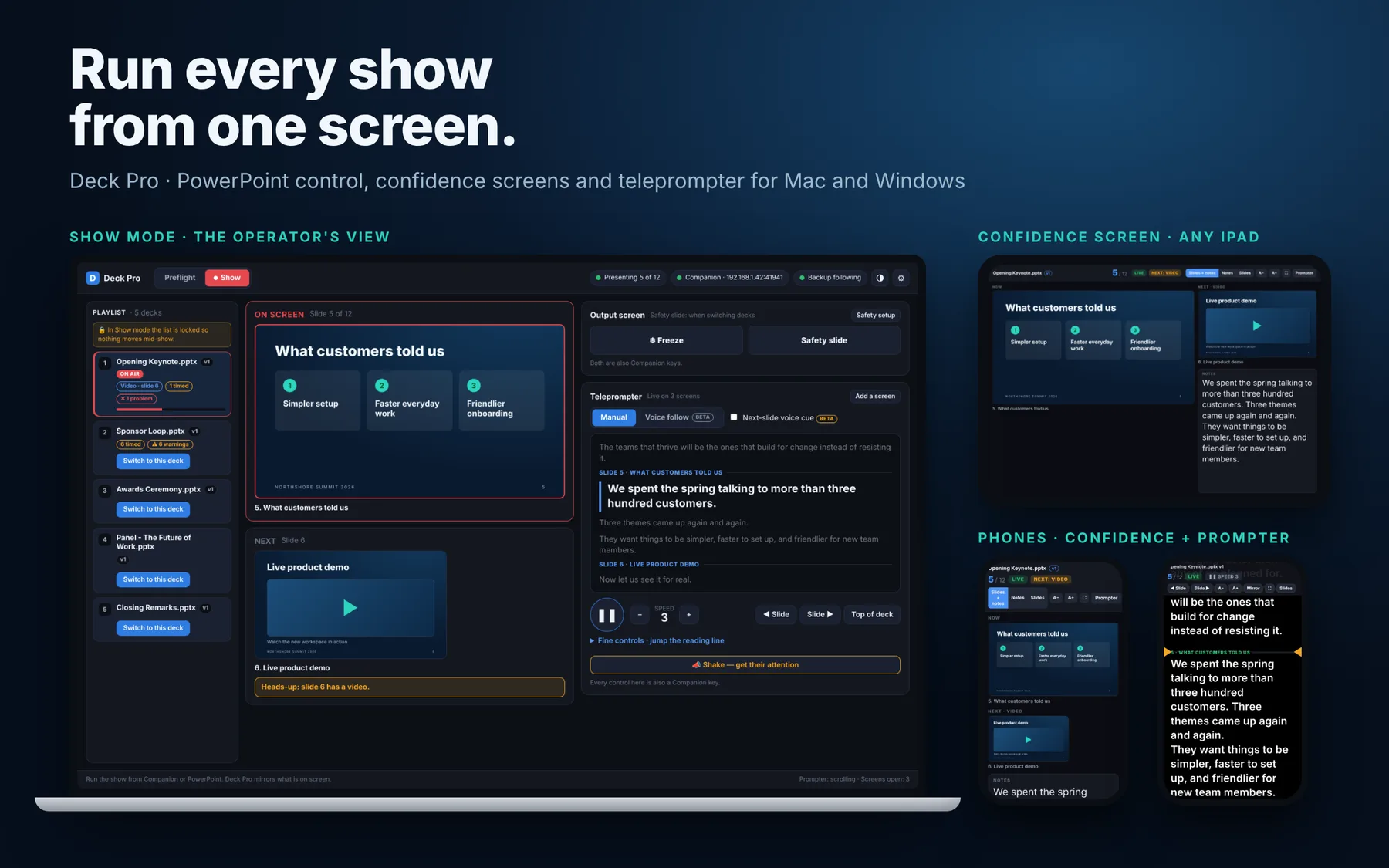
StageDeck™: slides under control
A PowerPoint operator app for Mac and Windows: preflight checks, confidence screens, a teleprompter and Companion control. It sends the current slide straight to your stage.
See StageDeck →From idea to live in three steps
Create an event
Name it and get ready-made links for the producer, presenters and guests.
Send the links
Guests open theirs, run the check, and wait backstage. You see who is ready.
Run the show
Bring people on, roll scenes, record and go live. Download your recordings afterward.
Made by the people who run the shows
StageCloud Studio comes from the mind of a Toronto AV production developer who runs webcasts and hybrid events for clients every week. Every feature is something a live producer asked for.
Talk to us- ✓Private preview for select producers and clients
- ✓Integrates with StagePulse, StageDeck and Bitfocus Companion
- ✓Recordings stored privately, with expiring download links
See it with your own event in mind
Tell us a little about what you produce. We’ll set up a walkthrough.
Form not showing? Open it in a new tab.